How to Create a Compact Espresso Machine Maintenance Log Template (Printable Checklist & Maintenance Schedule)
Introduction
Maintaining a compact espresso machine is essential for consistent coffee quality, longevity of components, and safety of operation. This guide will teach the reader how to design a printable maintenance log template that captures daily, weekly, and monthly tasks in a clear, actionable format. By following the steps, one will be able to track cleaning cycles, descaling events, and component inspections, thereby reducing the risk of performance degradation and costly repairs.
The value of a structured log lies in its ability to transform routine upkeep into a habit, providing visual confirmation that each critical action has been completed. In addition, the guide integrates product recommendations that serve as reliable tools for each maintenance phase, ensuring that the reader can select equipment that matches the demands of a compact espresso system.
Even readers who already possess a maintenance routine will discover new ideas for documentation, while beginners will gain confidence through a systematic approach. Let us begin by outlining the materials required.
What You'll Need
- Computer or tablet with a word‑processing program capable of creating tables (Microsoft Word, Google Docs, or similar).
- Printer capable of handling standard A4 or Letter paper.
- High‑quality paper or cardstock for durability.
- Pen or marker for manual check‑offs.
- Cleaning accessories appropriate for the espresso machine (brushes, descaling solution, microfiber cloth).
- One of the recommended compact espresso machines to reference specific maintenance intervals.
For the last item, the CASABREWS CM5418 Espresso Machine is an excellent example because it combines a 20‑bar pump, built‑in pressure gauge, and a powerful steam wand, all of which require regular attention.
Step 1: Assess Your Espresso Machine Model and Its Maintenance Requirements
Begin by locating the user manual for the specific espresso machine you own. Identify the manufacturer's recommended cleaning frequency for the group head, steam wand, water tank, and internal components. Most compact machines, such as the CASABREWS 3700 Espresso Machine, advise daily rinsing of the steam wand, weekly backflushing, and monthly descaling.
Write down each task, noting the suggested interval (daily, weekly, monthly, quarterly). If the manual does not provide explicit intervals, use industry best practices: daily steam wand purge, weekly filter cleaning, monthly descaling with a citric‑based solution, and quarterly inspection of seals and gaskets.
Document the model name, serial number, and purchase date. This information will help you track warranty periods and service eligibility, especially for machines that offer responsive customer support, as highlighted in the positive sentiment for the CASABREWS CM5418.
By completing this assessment, you create the foundation for a customized log that aligns with the unique features of your machine.
Step 2: Gather Cleaning and Descaling Tools
Effective maintenance relies on using appropriate cleaning tools. For machines with a steam wand, a stainless‑steel milk frothing brush prevents milk residue buildup. The Breville Barista Express includes a dedicated cleaning disc and brush set, making it a useful reference for the type of accessories needed.
Purchase a high‑quality descaling solution; the Aromaster model uses a one‑touch descaling function, demonstrating the importance of a reliable descaler. A microfiber cleaning cloth protects the stainless‑steel exterior from scratches while polishing the surface after each cleaning session.
Arrange these tools near your workstation so that they are readily available when the log indicates a cleaning event. Keeping the tools organized reduces the time required to perform each task, reinforcing the habit of timely maintenance.
Finally, label each tool with its purpose (e.g., "Steam Wand Brush," "Descaling Solution") to simplify the checklist entries.
Step 3: Design the Printable Log Template
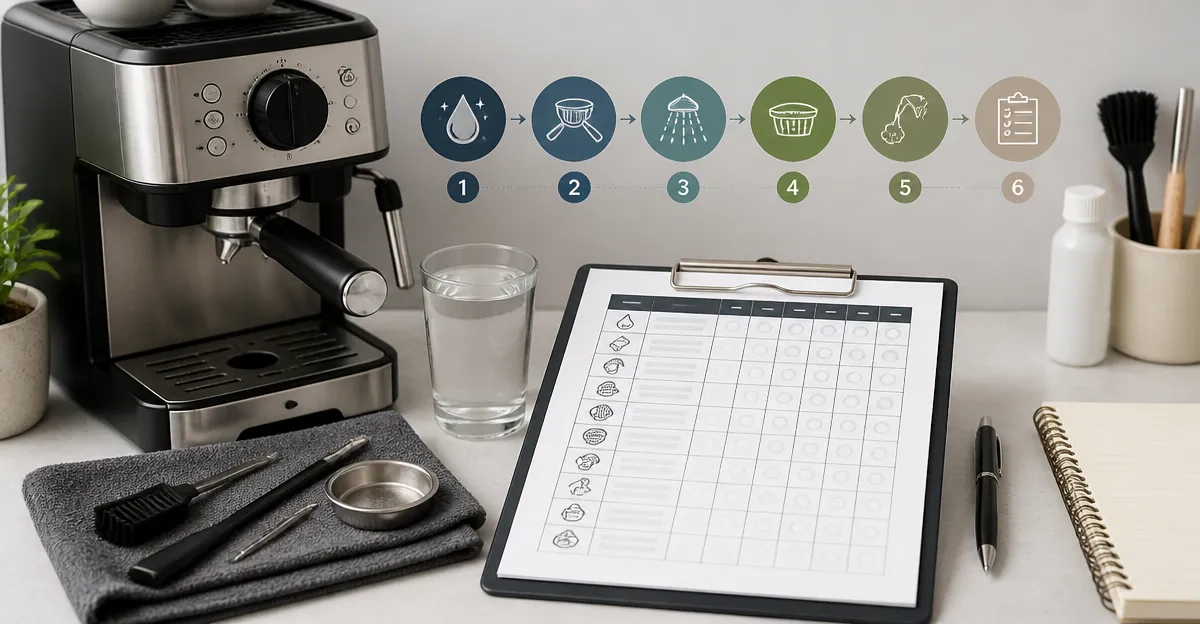
Open your word‑processing program and create a table with the following columns: Date, Task Description, Frequency, Completed (✓), Notes, and Signature. Use a clear, legible font such as Arial or Times New Roman, size 11 or 12, to ensure readability when printed.
Populate the Task Description column with the items identified in Step 1. For example, "Purge steam wand and wipe with microfiber cloth," "Backflush group head with cleaning tablet," "Descale water tank," and "Inspect pressure gauge for drift." Include the Frequency column to remind the user of the interval (Daily, Weekly, Monthly, Quarterly).
In the Completed column, provide a checkbox symbol (☐) that can be manually marked after each task. The Notes column allows the user to record observations such as "Steam wand foam consistency reduced" or "Descaling solution required two cycles." The Signature column adds accountability, especially in a shared office environment.
Save the document as a PDF to preserve formatting, then print a test page on standard paper to verify that the layout fits within the printable area. Adjust column widths if necessary.
Step 4: Populate the Maintenance Schedule
Using the template, fill in the first month's dates and assign tasks according to their frequency. For daily tasks, repeat the entry for each day of the month. For weekly tasks, assign them to a consistent day (e.g., every Monday). Monthly tasks can be placed on the first of each month.
Reference the Aromaster Espresso Machine as an example of a device that benefits from a fast‑heating system and one‑touch descaling; this informs the placement of descaling entries in the schedule.
Consider adding a quarterly column for deeper inspections, such as checking the condition of O‑rings or replacing the water filter. The Breville Bambino, for instance, recommends regular filter changes to maintain water quality, a practice that can be mirrored in the log.
Once the schedule is complete, print enough copies to cover a six‑month period. Laminating the pages allows the use of a dry‑erase marker for temporary notes without compromising the printed text.
Step 5: Implement the Log in Daily Operations
Place the printed log in a visible location near the espresso machine, such as on the countertop or attached to the machine's side with a magnetic strip. Encourage all users to check the appropriate box after completing each task.
Review the log at the end of each week to verify that all entries have been marked. If any task is missed, note the reason and adjust the schedule to accommodate realistic usage patterns.
Periodically (e.g., quarterly) compare the log data with the machine's performance. A decline in crema quality or steam wand pressure may indicate that a cleaning step was omitted, prompting a corrective action.
By maintaining a visual record, the household or office cultivates a culture of responsibility, ensuring that the espresso machine remains in optimal condition for years.
Tips & Pro Tips
- Use a timer. Set a recurring alarm on a smartphone to remind users of weekly backflushing and monthly descaling.
- Document water hardness. Hard water accelerates scale buildup; record the hardness level and adjust descaling frequency accordingly.
- Keep spare parts. Stock small replacement items such as O‑rings, gaskets, and cleaning tablets; the Breville Barista Express community often recommends having these on hand.
- Leverage the built‑in pressure gauge. The CASABREWS CM5418 features a pressure gauge that helps detect pump wear early; record any deviations in the Notes column.
- Train new users. Conduct a brief walkthrough of the log and cleaning process when a new household member begins using the machine.
Troubleshooting
Problem: Steam wand produces weak froth.
Solution: Verify that the wand has been purged after the last use and that mineral deposits have not accumulated. Descale the wand using the same solution applied to the water tank.
Problem: Espresso lacks crema.
Solution: Check the pressure gauge (if available) for a drop below 9 bars. Clean the group head filter and ensure the coffee grind size is appropriate; a finer grind often restores crema.
Problem: Machine displays an overheating protection error.
Solution: Allow the machine to cool for at least 10 minutes before restarting. Review the log to confirm that the user did not attempt to brew immediately after frothing milk, a common cause of overheating as noted in the CASABREWS CM5418 user guidance.
Conclusion
Creating a printable maintenance log template empowers espresso enthusiasts to protect their investment, maintain coffee quality, and extend the lifespan of their compact machines. By following the systematic steps—assessing model requirements, gathering proper tools, designing a clear template, populating a realistic schedule, and integrating the log into daily routines—one establishes a reliable maintenance habit. The included tips and troubleshooting section further equips the user to address common issues before they become costly failures. Adopt this approach today and experience the confidence of knowing that every espresso shot is backed by diligent care.
Products Mentioned in This Guide
Frequently Asked Questions
What sections should a compact espresso machine maintenance log include?
Include daily cleaning, weekly descaling, monthly component inspections, and a notes area for any anomalies.
How often should I print and update the maintenance checklist?
Print a fresh copy each month and update it after every maintenance task to keep records current.
Can I use a digital template instead of a printable one?
Yes, a digital template works as long as you log each task promptly and retain a backup copy.
What are the key signs that a machine needs descaling?
Reduced pressure, slower brew times, and mineral buildup on the group head indicate it’s time to descale.
Why is documenting maintenance important for warranty claims?
A detailed log proves regular upkeep, which many warranties require before honoring repairs or replacements.