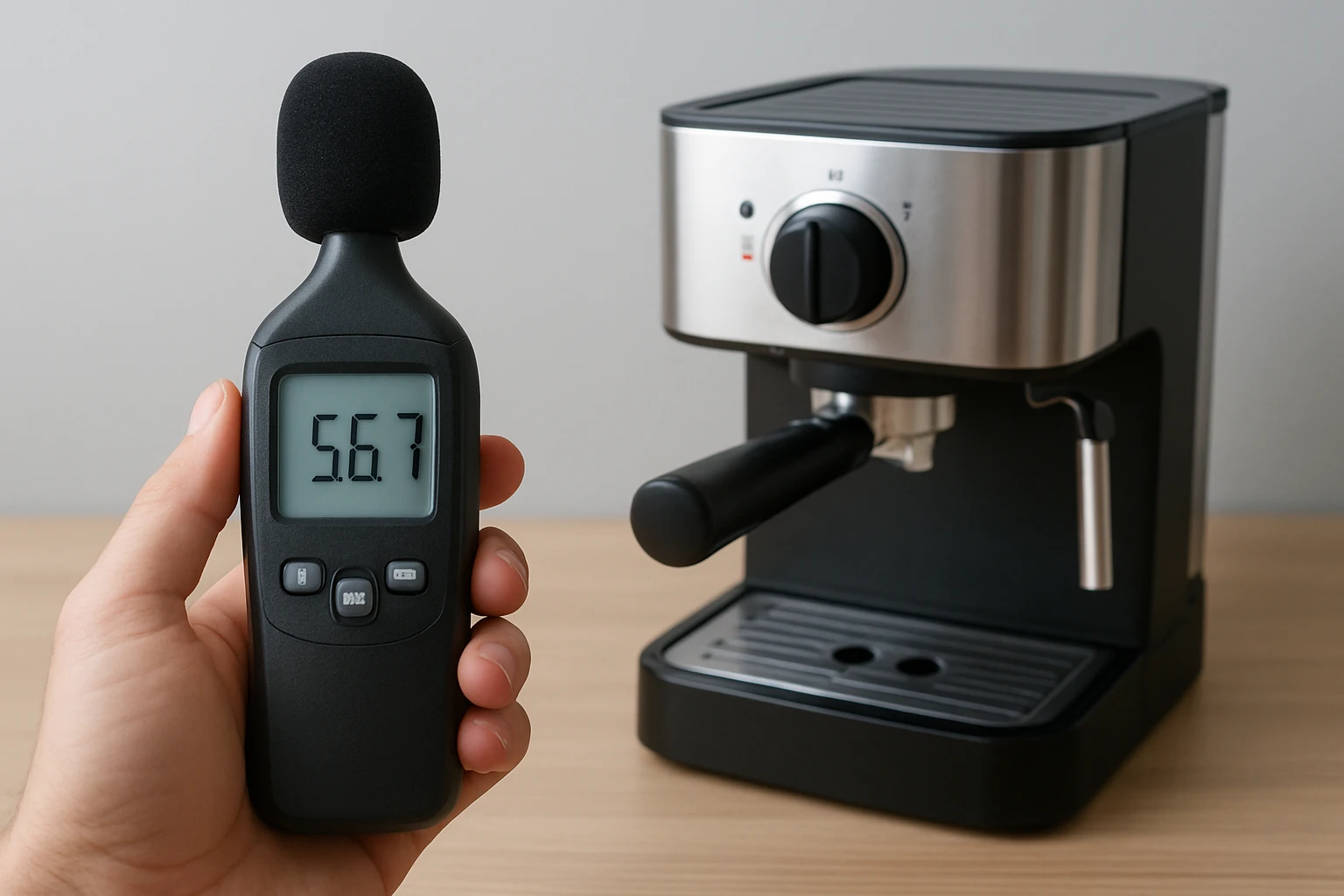
How to Test Decibel Levels of a Compact Espresso Machine: Step-by-Step Guide Using a Sound Meter or Smartphone App
Introduction
Measuring the acoustic output of a compact espresso machine provides valuable insight into its suitability for home kitchens, office environments, and shared living spaces. This guide explains how to obtain reliable decibel readings using a dedicated sound meter or a smartphone application, and it demonstrates how to interpret the results for practical decision making. The reader will learn how to prepare a controlled testing environment, operate the measurement device, record baseline and operational noise, and analyse the data to determine compliance with local noise regulations. Accurate measurement also assists in comparing different models, troubleshooting abnormal sounds, and documenting performance for warranty or resale purposes.
What You'll Need
- A reliable sound level meter such as the TopTes TS-501B Decibel Meter.
- A stable surface on which to place the espresso machine during testing.
- A quiet room with minimal background noise, preferably a kitchen or utility space.
- A smartphone with a reputable decibel measurement app (optional backup).
- Measuring tape or ruler to maintain consistent distance between the microphone and the machine.
- Notebook or digital spreadsheet for recording observations.
Step 1: Prepare the Testing Environment
Begin by selecting a room that experiences the lowest possible ambient sound level. Close windows, turn off ventilation fans, and silence any electronic devices that are not part of the test. Place the espresso machine on a flat, non‑vibrating surface such as a sturdy countertop. Ensure that the power cord does not interfere with the microphone placement. Document the temperature of the room, as extreme temperatures can affect the performance of some sound meters.
Step 2: Set Up the Decibel Meter
Power on the TopTes TS-501B Decibel Meter by inserting the three AAA batteries included in the package. Allow the device to complete its automatic power‑off check, which conserves battery life for extended testing sessions. Activate the backlit LCD screen by pressing and holding the backlight button; this ensures readability in low‑light conditions. Select the A‑weighting mode for general noise measurement, as it approximates the human ear response to mid‑frequency sounds typical of espresso machines. For low‑frequency rumble, switch to C‑weighting, but record both values for a comprehensive profile.
The meter offers a MAX/MIN function that captures peak and trough levels during the brewing cycle. Press the MAX/MIN button before starting the machine to enable data hold, which freezes the displayed value for later transcription. The device also provides a data‑hold button that can be used to capture a single reading without interrupting the measurement sequence.
Key specifications of the TopTes TS-501B Decibel Meter include a measurement range of 30–130 dB, an accuracy of ±1.5 dB, and a frequency response of 30–8000 Hz. It is priced at $20.99 and carries a rating of 4.5 out of 5 stars from over two thousand reviews, indicating broad user satisfaction. The included carrying case protects the instrument during transport, and the low‑battery indicator alerts the user when battery replacement is required.
Step 3: Position the Microphone
Measure a distance of 1 meter (approximately 3.3 feet) from the espresso machine's most audible surface, typically the spout or the brewing chamber. Use a measuring tape to mark this distance on the floor and place the meter on a small tripod or stable stand at the marked point. Ensure that the microphone faces the machine directly and is not obstructed by objects or hands. Maintaining a consistent distance eliminates variability and allows for repeatable results across multiple testing sessions.
Step 4: Record Baseline Noise
Before activating the espresso machine, record the ambient sound level for at least 30 seconds. Press the data‑hold button after the meter stabilises, and note the displayed decibel value in the notebook. This baseline reading represents background noise that will be subtracted from the operational measurement to isolate the machine's contribution. If the baseline exceeds 35 dB, consider relocating the test to a quieter area, as high ambient levels can mask the machine's acoustic signature.
Step 5: Measure Brewing Noise
Start the espresso machine and allow it to complete a full brewing cycle, from water heating to the final pour. Observe the meter during the most audible phases, such as the pump activation and the steam release. The meter will display rapid fluctuations; the MAX function will capture the highest peak, while the MIN function records the lowest point. After the cycle ends, press the data‑hold button to freeze the peak value, and record both the peak and average readings. Repeat the measurement three times to obtain a reliable average, and calculate the mean by adding the three values and dividing by three.
Step 6: Analyse the Results
Subtract the baseline noise from each recorded value to determine the net decibel contribution of the espresso machine. For example, if the baseline is 32 dB and the peak reading is 68 dB, the machine contributes approximately 36 dB of noise. Compare the resulting figures against local ordinances, which often limit residential noise to 55 dB during daytime hours. If the machine exceeds acceptable limits, consider mitigation strategies such as acoustic mats, isolation pads, or operating the machine during quieter periods.
Step 7: Optional Smartphone App Measurement
As a backup, download a reputable decibel measurement app such as “Sound Meter” from the official app store. Calibrate the app using the TopTes TS-501B Decibel Meter as a reference point; place both devices side by side and note any systematic deviation. Adjust the app's calibration setting accordingly. While smartphone microphones are less accurate than dedicated meters, they can provide a quick sanity check when the primary device is unavailable.
Tips & Pro Tips
- Conduct the test at the same time of day for each measurement, as ambient noise levels can vary with external traffic.
- Use the slow update mode on the meter for a more stable numeric readout, especially when analysing subtle differences between machine models.
- Record temperature and humidity, as extreme humidity can affect microphone sensitivity.
- If the machine produces intermittent spikes, capture those using the MAX function and note the duration of each spike.
- Store the meter in its velvet carry case when not in use to protect the microphone from dust and accidental impact.
Troubleshooting
| Problem | Possible Cause | Solution |
|---|---|---|
| Meter displays erratic values | Battery low or poor contact | Replace the three AAA batteries and ensure they are seated correctly. |
| Readings are consistently higher than expected | Microphone cover not fully removed | Remove the protective cap from the microphone before each measurement. |
| Background noise dominates the reading | Testing environment too noisy | Choose a quieter room or schedule the test during off‑peak hours. |
Conclusion
By following the systematic procedure outlined in this guide, one can obtain accurate decibel measurements of a compact espresso machine using either a dedicated sound meter or a smartphone app. The process highlights the importance of a controlled environment, consistent microphone placement, and careful data recording. Armed with these results, the reader can assess compliance with noise regulations, compare competing models, and implement noise‑reduction strategies where necessary. Accurate acoustic testing ultimately enhances user satisfaction and preserves harmonious living spaces.
Products Mentioned in This Guide
Frequently Asked Questions
What equipment is needed to measure the decibel level of a compact espresso machine?
You need a reliable sound level meter (e.g., TopTes TS-501B) or a calibrated smartphone app, plus a stable surface for the machine and a quiet testing environment.
How should I set up the testing environment for accurate noise readings?
Place the espresso machine on a stable surface, ensure the room is quiet, position the meter 1 meter away at ear height, and eliminate background sounds.
What is the proper procedure to record baseline and operational noise levels?
First measure the ambient room noise (baseline), then start the espresso machine and record the decibel level during brewing, noting peak and average values.
How do I interpret decibel readings to determine if my espresso machine is too loud?
Compare the measured dB to typical kitchen noise (50‑60 dB) and local regulations; values above 65 dB may be disruptive in shared spaces.
Can I use a smartphone app instead of a dedicated sound meter, and is it accurate?
Yes, many apps are calibrated for consumer use, but they may be less precise than a professional meter; verify the app’s calibration and use it in the same setup for consistent results.